
If you’re already using Beem and want to help friends or family access the same financial tools, you can invite them directly through the app. Many users search for “How do I invite friends to join Beem?” because they want clear steps, eligibility details, and an understanding of how referrals and Beem Pass work.
What Does “Inviting Friends to Beem” Mean?
Inviting friends to Beem can happen in two main ways:
Through the standard referral feature inside the app
Through Beem Pass, which allows you to share access to your subscription benefits
Both options allow someone you trust to join the platform. The difference lies in how access and rewards work.
Option 1: How to Refer Friends Through the Beem Referral Feature
The referral feature allows you to share a unique invite link. When your friend signs up and completes required steps, both of you may qualify for rewards depending on current promotional terms.
Step-by-Step: Sending a Referral Link
Follow these steps:
1. Open the Beem App
Log in to your account.
2. Go to “Refer & Earn” or “Invite Friends”
This section usually appears in the menu or dashboard area.
3. Copy Your Unique Referral Link
You will see a personalized referral link tied to your account.
4. Share the Link
You can send it through:
Text message
Email
Social media
Messaging apps
5. Your Friend Must Use That Link to Sign Up
It is important that they click your link before downloading and registering. This ensures the system tracks the referral properly.
6. Complete Required Steps
Referral bonuses are usually issued only after your friend:
Finishes account verification
Links a bank account
Activates or uses certain features
Always review the in-app referral terms to understand qualification requirements.
Option 2: Inviting Friends Through Beem Pass
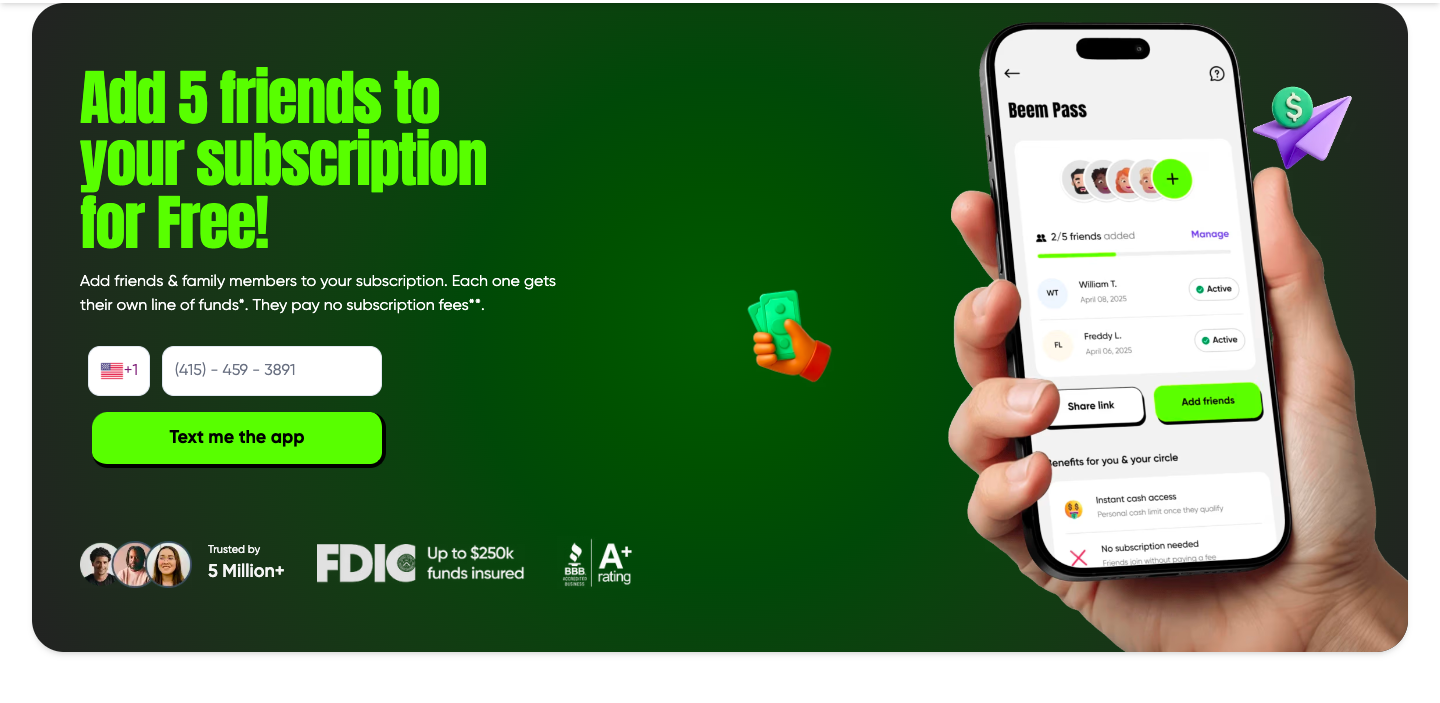
Beem Pass works differently from standard referral links. Instead of just earning a sign-up reward, you can share access to your subscription benefits with trusted individuals.
What Is Beem Pass?
Beem Pass allows an active subscriber to invite up to five people to access financial tools under their plan. Your invitees get:
Their own account login
Access to features like Everdraft™ (if they qualify)
Budgeting and money management features
Privacy and independent control
They do not share your personal financial data, and you do not see theirs.
How to Invite Someone Using Beem Pass
If you’re an active subscriber of Beem, Beem Pass allows you to share your subscription benefits with people you trust. Instead of sending a simple referral link, you’re giving someone access to real financial tools under your active plan.
Here’s a detailed breakdown of how the process works and what to expect at each step.
1. Open the Beem App and Sign In
Start by opening the Beem app on your phone. Make sure you are logged into the account associated with your active subscription. If you recently updated your plan or renewed your membership, confirm that your subscription is currently active. Beem Pass invitations are only available to active subscribers.
If you have trouble locating the feature, updating the app to the latest version may help.
2. Navigate to the Beem Pass Section
From your main dashboard or menu, look for the “Beem Pass” option. This section typically shows:
How many invite slots you have available
The number of people currently using your pass
Options to manage or remove invitees
Beem Pass generally allows you to invite up to five people at a time, depending on your subscription terms.
3. Select “Invite Someone”
Tap the button that says “Invite Someone” or “Add Invitee.” This starts the invitation process.
At this stage, you may be prompted to:
Choose a contact from your phone
Enter details manually
Take a moment to confirm you’re inviting the correct person, since the invitation will be tied to the phone number you enter.
4. Enter Their Name and Phone Number
Provide the invitee’s:
Full name
Active mobile phone number
Make sure the phone number is correct. The invitation link is sent via SMS, so even a small typo can prevent them from receiving it.
Once submitted, the system generates a secure sign-up link connected to your Beem Pass slot.
5. Send the Invitation
After confirming the details, send the invite. Your friend or family member will receive a secure SMS containing a link to join.
From their side, they will need to:
Click the link
Download the app if they don’t already have it
Complete account registration
Finish identity verification
Their access begins only after they complete the full signup and verification process. Simply receiving the text does not activate their benefits.
What Happens After They Accept?
Once your invitee successfully signs up:
They receive their own login credentials
They get access to eligible financial tools under your subscription
Their account remains private and independent
You will not see their transactions, balances, or activity. Beem Pass is structured to maintain privacy while extending access.
How to Manage or Remove Invitees
You can return to the Beem Pass section anytime to:
View active invitees
Check pending invitations
Remove someone if needed
If you remove an invitee, their access under your subscription ends. They may be offered the option to subscribe independently.
If your subscription expires or is canceled, all Beem Pass invitees lose access unless they transition to their own paid plan.
Tips for a Smooth Invitation Process
To avoid delays or confusion:
Double-check the phone number before sending
Remind your invitee to use the SMS link directly
Encourage them to complete verification promptly
Confirm your subscription is active before inviting
Beem Pass is designed to make sharing financial tools simple and structured. By following these steps carefully, you can help someone gain access without lending money directly or managing their finances for them.
Referral vs. Beem Pass: What’s the Difference?
Here’s a simple breakdown:
Referral Link
One-time reward opportunity
Requires your friend to complete eligibility steps
Both parties may receive a bonus
Beem Pass
Ongoing access to subscription features
No separate subscription fee for invitees
Designed to support family or close friends
Choose the option that fits your goal. If you want to earn referral rewards, use the referral link. If you want to support someone long-term, Beem Pass may be better.
Why Invite Friends to Beem?
Inviting someone to Beem can help them:
Cover short-term cash gaps
Access emergency funds if eligible
Build better budgeting habits
Monitor and improve their credit
Instead of lending money directly, you can share tools that allow them to manage their finances independently.
Common Questions About Beem Referrals
How many friends can I invite?
Referral links can usually be shared with multiple people. Beem Pass allows up to five invitees at a time, depending on your subscription status.
Does my friend need to pay?
Standard app sign-up is typically free. For Beem Pass, invitees do not pay a separate subscription fee while under your active plan.
What if my referral bonus doesn’t appear?
Check that:
Your friend used your referral link
They completed all required steps
The promotional terms were active at the time
If issues remain, contact in-app support.
Can I remove someone from Beem Pass?
Yes. You can manage invitees from the Beem Pass section. If you remove someone, their access may end unless they subscribe independently.
Best Practices for Successful Referrals
To improve your referral success:
Explain what Beem offers before sending the link
Make sure they click your link first
Encourage them to complete verification
Share the invite when they actually need financial support
Clear communication increases the chances of both of you benefiting.
Final Thoughts
If you’ve been asking, “How do I invite friends to join Beem?” the process is straightforward. Open the app, choose between the referral feature or Beem Pass, send your invite, and ensure your friend completes the required steps.
Referrals are more than just bonuses. They’re a way to share practical financial tools with people you trust. Whether you want to earn rewards or support someone’s financial stability, Beem makes inviting friends simple and structured.
Was this article helpful?
That’s Great!
Thank you for your feedback
Sorry! We couldn't be helpful
Thank you for your feedback
Feedback sent
We appreciate your effort and will try to fix the article